Import your invoices in 30 seconds — our AI extracts everything automatically.
Set up your reminder sequence once. nudgi does the rest.
A complete tool to manage your payment reminders from A to Z
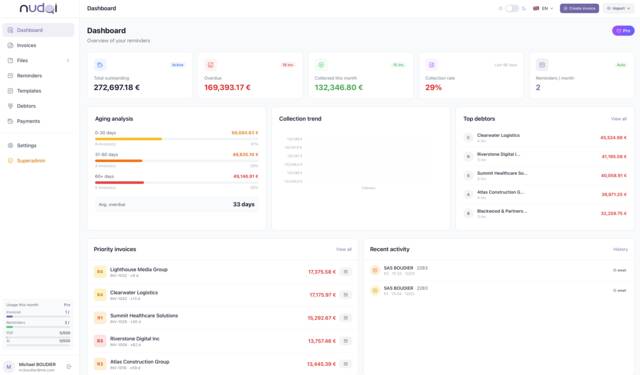
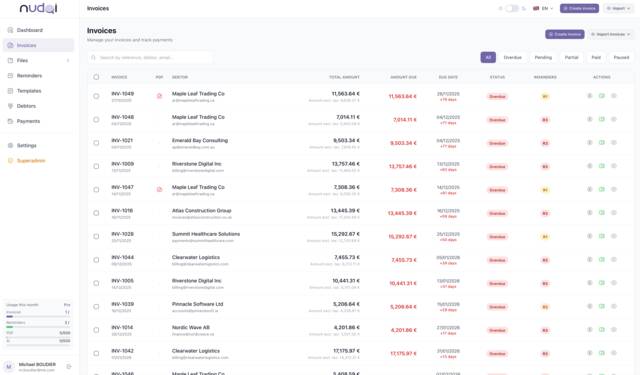
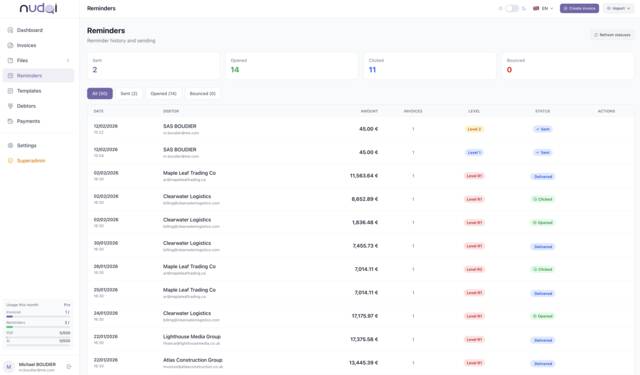
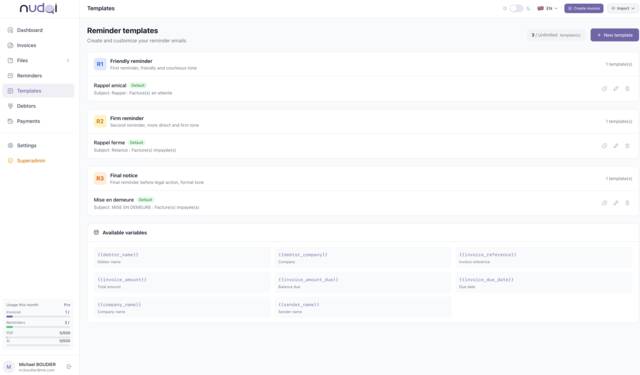
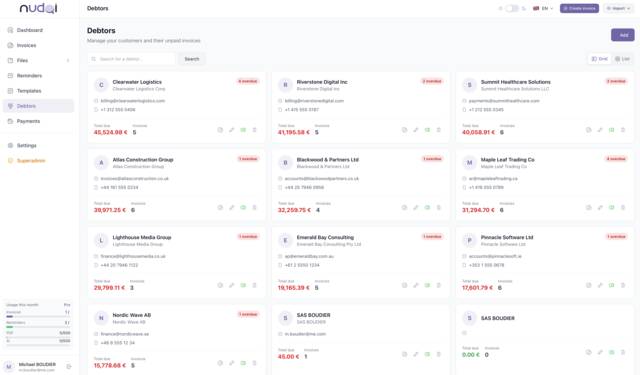
nudgi automatically adjusts the firmness level based on payment delay
Our artificial intelligence automatically extracts all data from your invoices in 2 seconds
Drag one or multiple PDFs into nudgi
Client, amount, due date, invoice number
Review the data and start the reminder in one click
Most collection tools require manual data entry. nudgi's AI import lets you get started in 30 seconds.
Email reminders have a deadly enemy: the spam folder. nudgi solves this.
Complete email authentication for every send
Automatically spaces out sends to never trigger filters
Every email tracked in real time: sent, opened, clicked. Full history per debtor.
Automatic alert if a deliverability issue is detected
No matter your tool, nudgi adapts. No need to change your habits.
Drop one or multiple PDFs. AI extracts all data in 2 seconds.
Export from your accounting tool and import in one click. Auto column mapping.
Direct sync. Your unpaid invoices are automatically pulled.
Connect your account and find your pending invoices in real time.
Native integration for effortless synchronization.
Create an invoice in 30 seconds directly from nudgi.
Your accounting software isn't listed? CSV/Excel and PDF work with everything.
You don't lift a finger. nudgi handles everything automatically, from first reminder to last.
Identifies invoices past due date
Picks the right tone based on reminder level
Inserts name, amount, invoice number, due date
Attaches the right invoice PDF automatically
Email sent at the right time, anti-spam built in
Moves to next level if no payment received
Stops the sequence as soon as payment is recorded
7 automated steps. 0 action on your part.
No more searching for the right PDF. nudgi attaches it automatically to every email.
"I didn't receive the invoice" — the #1 reason for late payment. Eliminated.
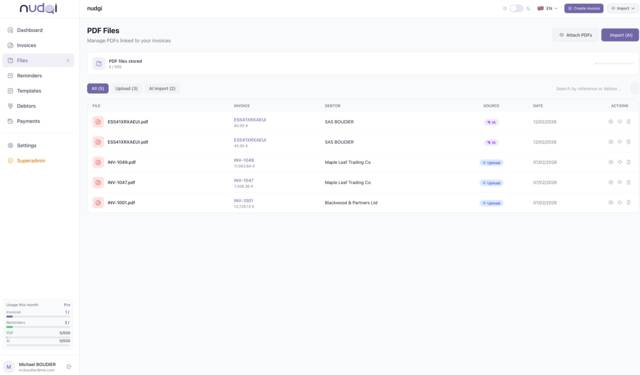
Drop the PDF, AI links it to the right invoice
Drag and drop your files in an instant
Your PDFs always accessible and secure
Every reminder goes out with the right document
No complex setup. No consultants. No per-user pricing.
| Feature | nudgi | LeanPay / Upflow | Excel + Outlook |
|---|---|---|---|
| AI PDF import | Native | — | — |
| Auto PDF attachment | Automatic | Partial | Manual |
| Escalation sequences | 4 levels | Yes | — |
| Built-in anti-spam | SPF/DKIM/DMARC | Basic | — |
| Per-user pricing | Unlimited | Per user | N/A |
| 5-minute setup | Yes | Integration required | Partial |
| Free plan | 20 invoices | — | Yes |
| Multi-language | FR/EN | Yes | — |
| Starting at | €0 / month | ~€100+ / month | €0 (but 8h of work) |
3 steps to automate your reminders
Drop an Excel file or a PDF — our AI extracts all data automatically. Or connect Pennylane, Sellsy, Axonaut.
Set your delays, customize your messages for each escalation level. One-time setup.
nudgi sends reminders at the right time, attaches the invoice PDF, and stops when payment is received.
Discover how nudgi automates your payment reminders in just a few clicks
No hidden fees, no commitment
And get paid faster
"nudgi completely transformed how we handle late payments. We reduced our payment delays by 40% in three months. The interface is intuitive and the reminder sequences are incredibly effective."
"I handle 80 invoices a month and I couldn't do without it anymore. The Excel import works flawlessly, reminders look professional, and clients pay faster. Top notch."
"Great tool, automatic reminders saved me a ton of time. I'm taking off half a star because there's no OCR recognition yet to scan paper invoices, but the PDF import works well."
"Solid and efficient for a freelancer. The reminder sequences are well designed and the free plan is generous. I'd like more template customization options in the future."
"The concept is great and the reminders work well. However, it's not yet possible to attach PDF invoices directly to reminders, which would be really convenient. Too bad."
"nudgi completely transformed how we handle late payments. We reduced our payment delays by 40% in three months. The interface is intuitive and the reminder sequences are incredibly effective."
"I handle 80 invoices a month and I couldn't do without it anymore. The Excel import works flawlessly, reminders look professional, and clients pay faster. Top notch."
"Great tool, automatic reminders saved me a ton of time. I'm taking off half a star because there's no OCR recognition yet to scan paper invoices, but the PDF import works well."
"Solid and efficient for a freelancer. The reminder sequences are well designed and the free plan is generous. I'd like more template customization options in the future."
"The concept is great and the reminders work well. However, it's not yet possible to attach PDF invoices directly to reminders, which would be really convenient. Too bad."